


Crayola Create and Play
3.92.03K Reviews
App Specs
- Version
- 2.60.0
- Updated On
- License
- Free
- Downloads
- 1,000,000+
- Developer
- Crayola LLC
- Categories
- Educational
- Platform
- Android
Screenshots


 Analysis by AppCompare
I see Crayola Create and Play as a digital art corner for children: its appeal is the mix of making things and playful activities, rather than a single coloring tool. That variety can make it an easy choice for a quiet stretch at home or a change of pace during travel. I’d recommend it most to kids who like to switch between drawing, coloring, and guided play, though it won’t replace paper and craft supplies for every child.
It’s an educational game from Crayola LLC, and the age rating is Everyone. It’s free to install, with optional in-app purchases ranging from around a dollar to around a hundred dollars per item, so I’d check the purchase settings with a child before handing over a device. It has a four-star average from around seven thousand five hundred ratings, and more than a million installs. Those figures suggest plenty of families have tried it, but the right fit still depends on how your child likes to play.
How the creative play holds up
I’ll look at what makes the creative mix work in practice, especially how switching between activities can help a child stay interested without turning the app into a task list. That variety is also where the main trade-off emerges: the next section considers how guided play compares with a more open-ended art experience.
More than a digital coloring book
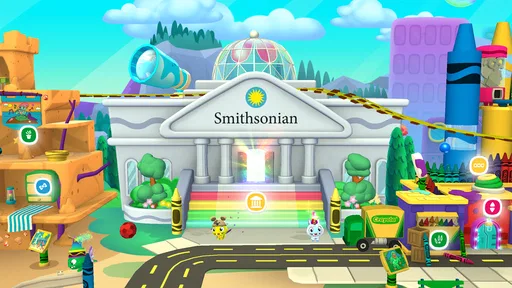
When you first open Crayola Create and Play, it feels like stepping into a vibrant universe where creativity knows no bounds. The interface is super friendly and intuitive, which means kids can jump right in without needing a tutorial. The colors are bright, the animations are smooth, and it’s all wrapped up in a package that screams fun!
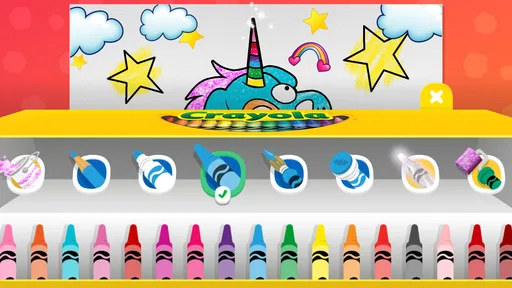
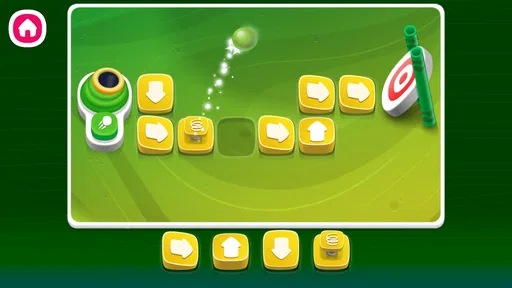
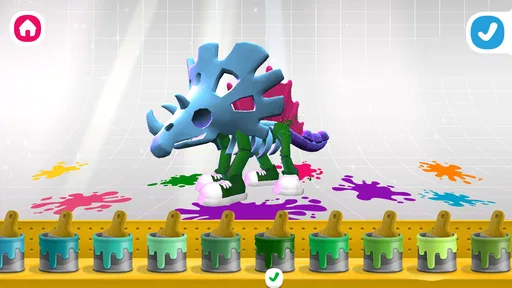
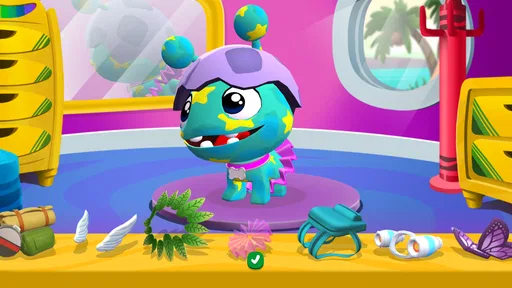
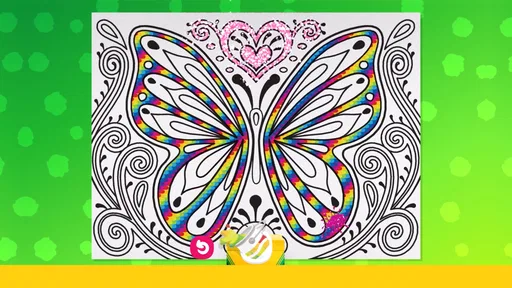
One of the things I absolutely love about this app is the variety of activities it offers. You’re not just limited to coloring; there’s a whole host of creative outlets to explore. For starters, you’ve got the classic coloring pages, but it doesn’t stop there. You can also create your own characters, design pets, and even dive into some mini-games that are as educational as they are entertaining.
That variety matters in everyday use. A child who gets restless with a page that simply asks them to fill in shapes may be more willing to stay engaged when they can move from coloring to character or pet creation, then take a break with a mini-game. I’d let the child choose the next activity rather than treating the app like a sequence they have to complete. That keeps the session feeling like play and gives them room to follow an interest.
Art tools and a useful way to play
Let’s not forget the art tools. The app provides a range of brushes, colors, and patterns that mimic real-life art supplies. It’s like having a whole art studio at your fingertips. And for the tech-savvy kiddos, there are interactive features that let them animate their creations, adding a whole new dimension to their artwork.
Worth Reading Before You Choose

EA SPORTS FC Mobile 26 Is a Bigger Football Game, but It Takes Time

Flipboard Shows What News Apps Must Do Beyond the Feed

Switching to Android Auto Means Rethinking Your Driving Routine

Google Calendar Makes a Crowded Week Easier to Manage

Ludo King Makes the Most of the Minutes Between Plans

Baby Panda World Brings Quick Play to Modern Phones, but Its Game Library Feels Busy
A practical way to get more from those tools is to invite a child to make a small theme rather than just tap through options: for example, draw a character, choose colors that suit it, and then give it a pet or a setting through the available creative activities. The point isn’t to produce a polished picture. It’s to help the child make choices and talk about them. For a younger player, a grown-up can ask simple questions such as why they chose a color or what their character is doing, turning a short session into a low-pressure conversation.
The screen-based format has a trade-off, though. It offers color and patterns without the mess of physical supplies, but it can’t give children the same feel as crayons on paper or the satisfaction of cutting, folding, and building something by hand. I’d treat it as one option in a creative routine, not a substitute for every offline activity. If your child is happiest handling materials or wants to keep a finished drawing on the fridge, paper and crayons may be the better first choice.
Learning without turning play into a lesson
Now, what’s really cool is how Crayola Create and Play sneaks in some learning while the kids are having fun. The app encourages creativity and problem-solving skills, and the mini-games often have educational twists. It’s a sneaky way to get some learning in while they think they’re just playing a game. Parents, you’ll definitely appreciate that!
I think the educational value works best when an adult stays curious instead of quizzing. Ask a child to explain a choice or describe what they are trying to make, then let them get back to exploring. That approach respects the fact that this is a game, not a formal lesson, and it can make the creative process more meaningful without interrupting it. If your main goal is structured practice in a particular school subject, a dedicated learning app is likely a more direct fit.
Parents, purchases, and shared-device routines
Speaking of parents, the app has some solid parental controls in place. You can manage what your kids are doing and how much time they’re spending on the app, which is always a plus. Plus, it’s a safe environment with no pesky ads popping up to disrupt the creative flow.
Because optional purchases are available, I’d set expectations before a child starts exploring and check the device’s purchase controls rather than assuming every part of the experience is included for free. For a shared family tablet, it can also help to decide in advance when the app is available and whether a grown-up will join in. The controls can support a household routine, but they work best when paired with a clear limit that a child understands.
For a realistic use case, imagine a rainy afternoon when dinner is still being prepared and a child wants something to do nearby. I’d offer a short creative session, suggest one activity to start with, and let them choose whether to continue with drawing or try a mini-game. Later, I’d ask them to show one creation and explain how they made it. That gives the app a clear place in the day without letting screen time become the whole activity.
Who will enjoy it, and who may want something else
So, why should you give Crayola Create and Play a shot? Well, it's not just another coloring app. It’s a platform where kids can unleash their creativity, learn new things, and most importantly, have a blast doing it. The app is regularly updated with new content, so there’s always something fresh to explore.
It’s a particularly good match for children who like having several kinds of creative play in one place, and for parents looking for an age-rated activity they can introduce without preparing art materials. It may be less satisfying for a child who wants advanced drawing controls, a focused coloring book, or a fully offline activity. Compared with a basic coloring app, its broader mix gives a child more ways to change direction; compared with open-ended drawing software, its child-oriented activities are more guided. Which side is better depends on whether your child wants prompts and variety or a blank canvas and more control.
If you’re choosing between this and a physical art kit, think about what you need in that moment. The app is convenient when you want a contained activity and less cleanup; real materials are better when touch, movement, and a finished object matter. I’d happily use both, rather than asking one to do the other’s job.
Worth trying, with sensible expectations
Plus, it’s a great way for kids to express themselves and develop their artistic skills without making a mess. Trust me, your walls will thank you!
For families deciding whether to try it, the basic download costs nothing, while optional purchases mean it’s worth reviewing the payment setup first. It runs on devices with Android 8.0 or later, and the current version is 2.53.0. I’d also keep the first session simple: explore together, see which activities hold the child’s attention, and then let them use the parts they genuinely enjoy. That small test is more useful than assuming every child will like every activity in a creative bundle.
My take after weighing the trade-offs
In conclusion, Crayola Create and Play is a fantastic tool for encouraging creativity in a fun and engaging way. It’s perfect for keeping the little ones entertained and learning at the same time. Whether they’re coloring, creating, or playing, they’re bound to have a colorful time.
So, if you’re on the hunt for an app that’s as educational as it is entertaining, give this one a try. You won’t be disappointed, and neither will your kids. Happy creating!
Pros
- Engaging activities for creative play.
- Kid-friendly interface and easy navigation.
- Regular updates with new content.
- Safe
- ad-free environment for kids.
- Promotes creativity and learning.
Cons
- Subscription required for full access.
- Limited offline functionality.
- Some activities may require parent assistance.
- In-app purchases can add up.
- Occasional performance lags.
FAQs for Crayola Create and Play
What age group is Crayola Create and Play suitable for?
Crayola Create and Play is designed for children aged 3 to 8 years. The app offers a safe and engaging environment where young users can explore their creativity through drawing, coloring, and interactive games. The content is tailored to be educational and fun, catering to the developmental needs of this age group.
Does Crayola Create and Play require an internet connection?
While some features of Crayola Create and Play can be accessed offline, an internet connection is required for full functionality. This includes accessing new content updates, community challenges, and syncing progress across devices. It's advisable to check your data plan or be connected to Wi-Fi to avoid unexpected charges.
Is Crayola Create and Play safe for children?
Yes, Crayola Create and Play is designed with children's safety in mind. It features a kid-friendly interface with no ads, ensuring a distraction-free experience. The app complies with privacy regulations, and all content is curated to be age-appropriate, making it a safe choice for young users.
Are there in-app purchases in Crayola Create and Play?
Crayola Create and Play offers some in-app purchases. While the app provides a range of free activities, additional content and features can be unlocked through purchases. Parents can set up restrictions to prevent unauthorized purchases and ensure children are not accessing paid content without permission.
What educational benefits does Crayola Create and Play offer?
Crayola Create and Play combines creativity with learning, offering educational benefits such as color recognition, fine motor skills development, and problem-solving. The app includes activities that encourage imaginative play and critical thinking, making it an excellent tool for both entertainment and early childhood education.


